
Firewall Rules & Smooth Bandwidth Pacing
Write exact app, domain, CIDR, port, and protocol rules, pace noisy transfers cleanly with Hierarchical Token Bucket (HTB) throttling, and master Netspector's 6-tier precedence.
Managing Rules & Live Snapshots
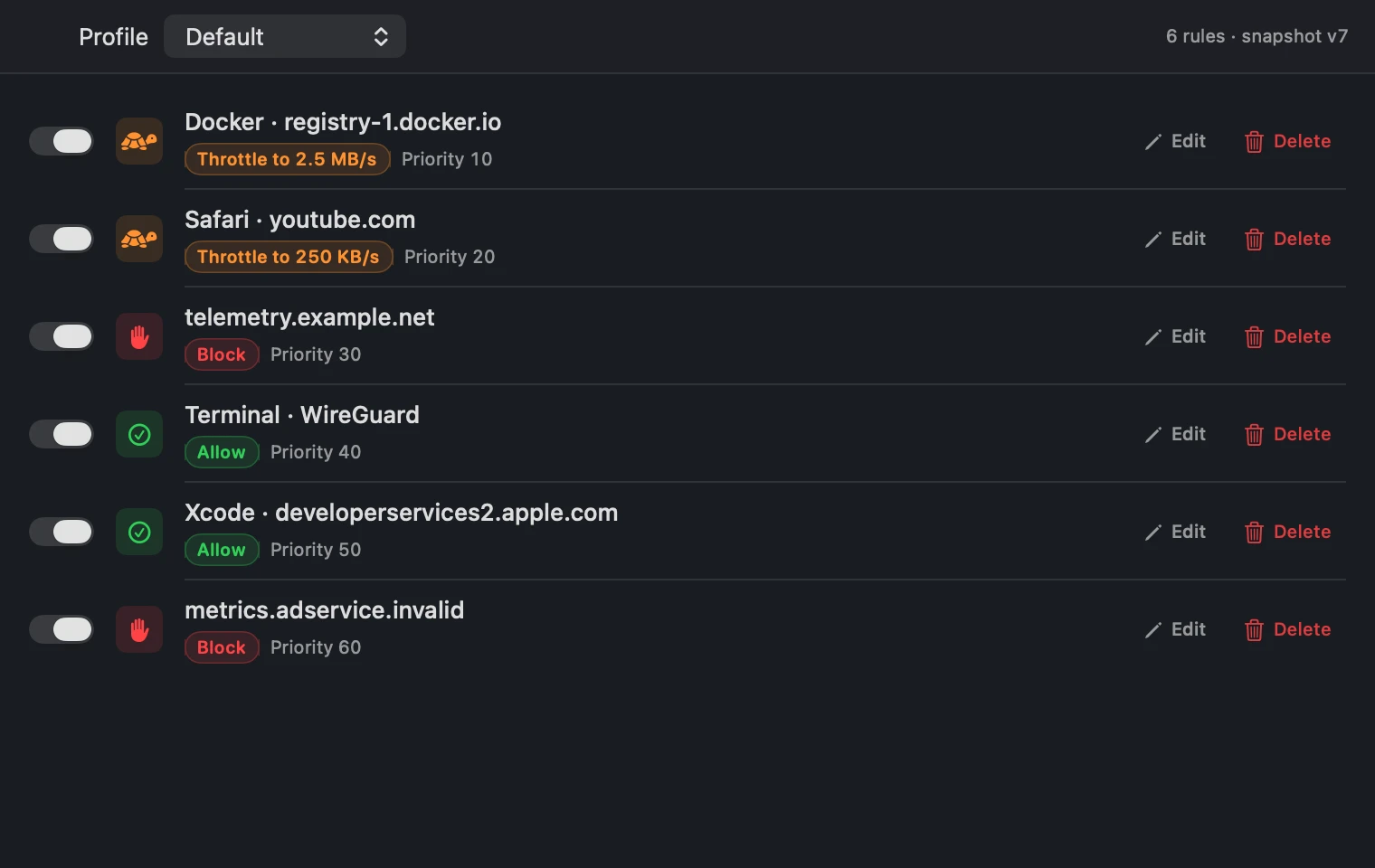
Open Rules (⇧⌘R) to inspect, toggle, reorder priority, or edit rules inside any profile. Every change compiles off the packet path into an immutable CompiledRuleSnapshot (snapshot v7) and swaps atomically across FilterExtension and PacerExtension over Mach XPC.
Creating & Editing Rules with Smooth Rate Limits
Click + (⌘N) in the Rules toolbar—or click Create Rule… from any flow in the Inspector—to open the Rule Editor sheet. Every field is validated with the exact same compiler rules enforced on the packet path.

| Field | Syntax / Examples | Matching Behavior |
|---|---|---|
| App bundle ID | com.docker.docker, com.apple.Safari | Matches the signed macOS app bundle; also inherits child CLI/helper processes where resolved. |
| Domain pattern | youtube.com or ^exact.example.com | Bare domain matches the domain and all subdomains (*.youtube.com). Prefix with ^ to match only the exact hostname. |
| CIDR / IP | 10.0.0.0/8, 2001:db8::/32 | Supports both IPv4 and IPv6 addresses and CIDR prefixes. |
| Port or range | 443 or 8000-8080 | Single destination port or inclusive port range (0–65535). |
How Smooth Pacing Works (TCP & QUIC)
Unlike blunt firewalls that drop every packet or sever active downloads, PacerExtension claims only connections whose verdict is Throttle (return false for everything else so unthrottled apps run at native speed). Inside PacerExtension, a Hierarchical Token Bucket (HTB) paired with a Deficit Round Robin (DRR) per-flow scheduler and TCP-aware ceiling pacing keeps congestion smooth without starving interactive calls or SSH.
If an app uses HTTP/3 over UDP (QUIC), Chrome or Safari may open high-rate UDP streams. In Settings → General, you can enable Drop throttled QUIC Initials to encourage TCP pacing so browsers fall back cleanly to TCP, where kernel congestion control responds even more smoothly to HTB pacing.
Deterministic 6-Tier Rule Precedence
Netspector evaluates every flow against a strict 6-tier hierarchy (lowest tier wins; within a tier, lower Priority number wins). Because Tier 0 is hardcoded, you can never accidentally lock out localhost tools, mDNS, or Netspector's own local AI gateway.
| Tier | Scope | Details |
|---|---|---|
| Tier 0 | Invariant Bypasses (Always Allow) | Loopback (127.0.0.0/8, ::1/128), link-local mDNS (224.0.0.251/32, ff02::fb/128), and Netspector's own bundle IDs. |
| Tier 1–2 | App- & Signing-Scoped Rules | Rules specifying an App bundle ID (or code-signing ID), sorted by rule priority (1–1000). |
| Tier 3 | Global Domain Rules & Blocklists | Domain-only rules without an app scope, followed by compiled domain blocklists. |
| Tier 4 | Global Destination Rules & CIDR Blocklists | Global CIDR, port, or protocol rules, followed by compiled CIDR blocklists. |
| Tier 5 | Active Profile Default Policy | Allow for standard profiles; Block for Allowlist profiles. |