Netspector Knowledge Base
Step-by-step documentation with annotated Retina captures from the real macOS app—covering System Extension approval, zero-MITM protocol inspection, smooth HTB throttling, and local 127.0.0.1 AI provider failover.
Visual Quick-Start Guides
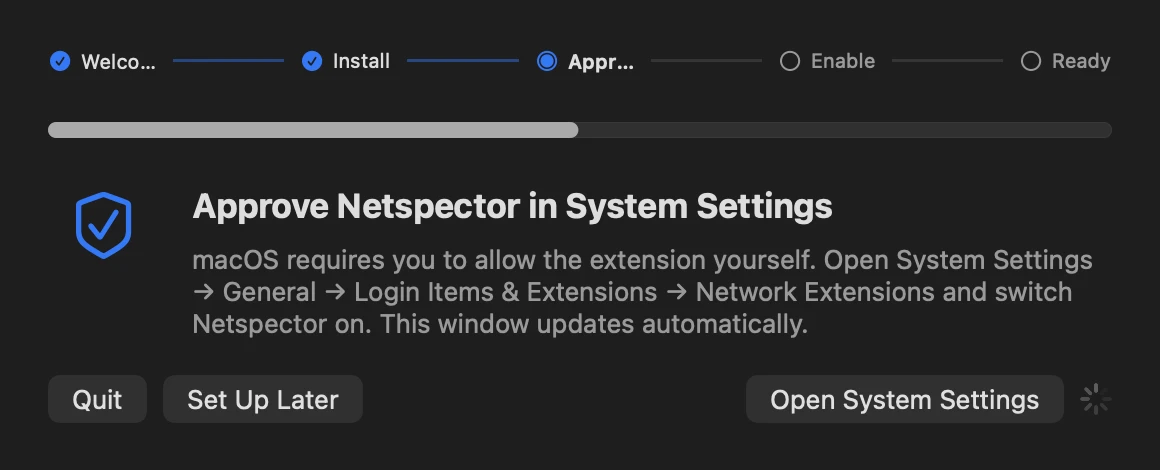
Install & Approve
Get Netspector running on macOS 14.0+ in under two minutes: move the app to /Applications, approve FilterExtension and PacerExtension in System Settings, and verify zero-MITM protection.
Read guide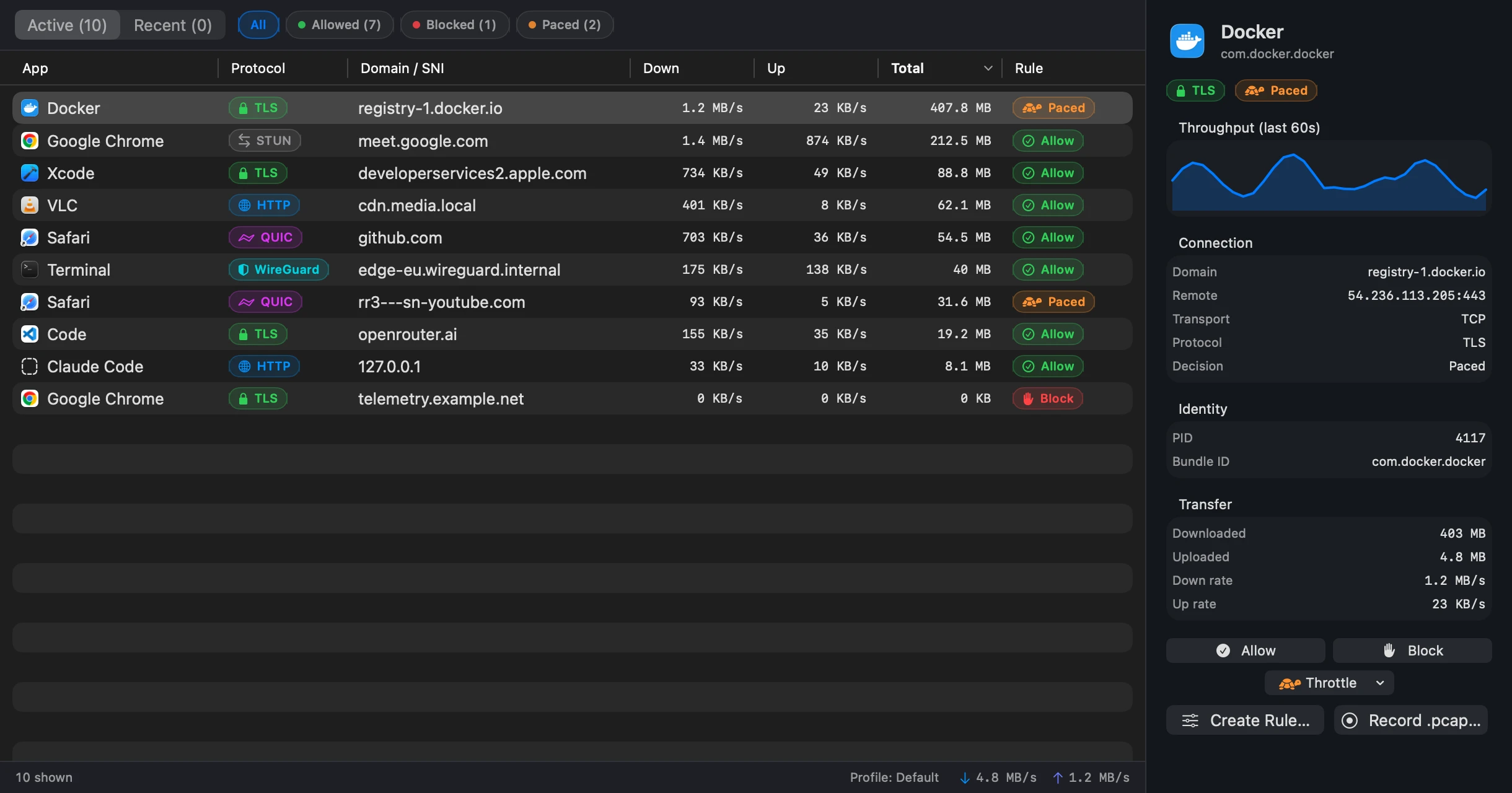
Live Inspector
⇧⌘IInspect every active and recent connection by signed app, L7 protocol, and SNI/Host, view 60-second per-flow throughput graphs, and send AI API flows straight into Failover.
Read guide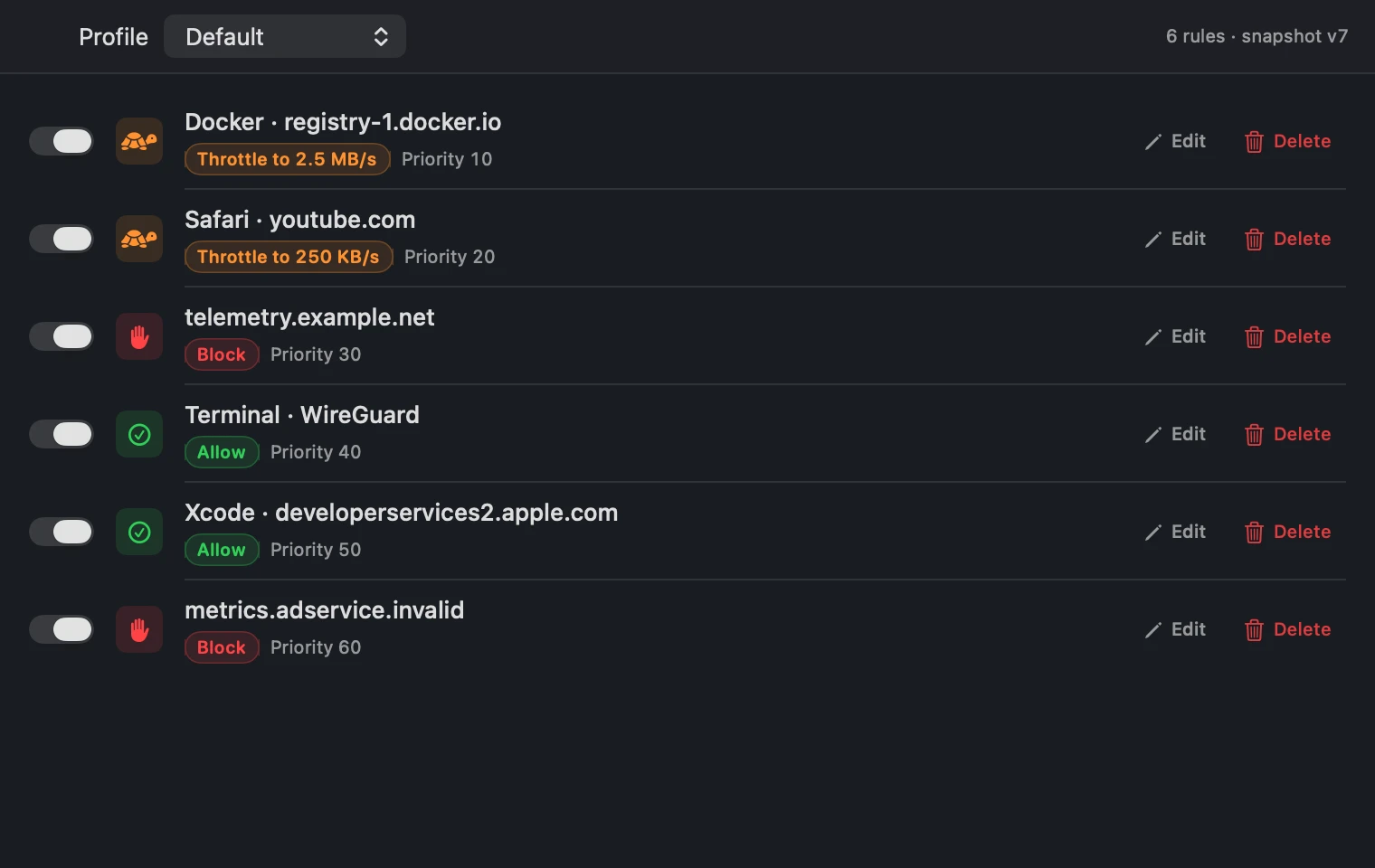
Rules & Bandwidth Pacing
⇧⌘RWrite exact app, domain, CIDR, port, and protocol rules, pace noisy transfers cleanly with Hierarchical Token Bucket (HTB) throttling, and master Netspector's 6-tier precedence.
Read guide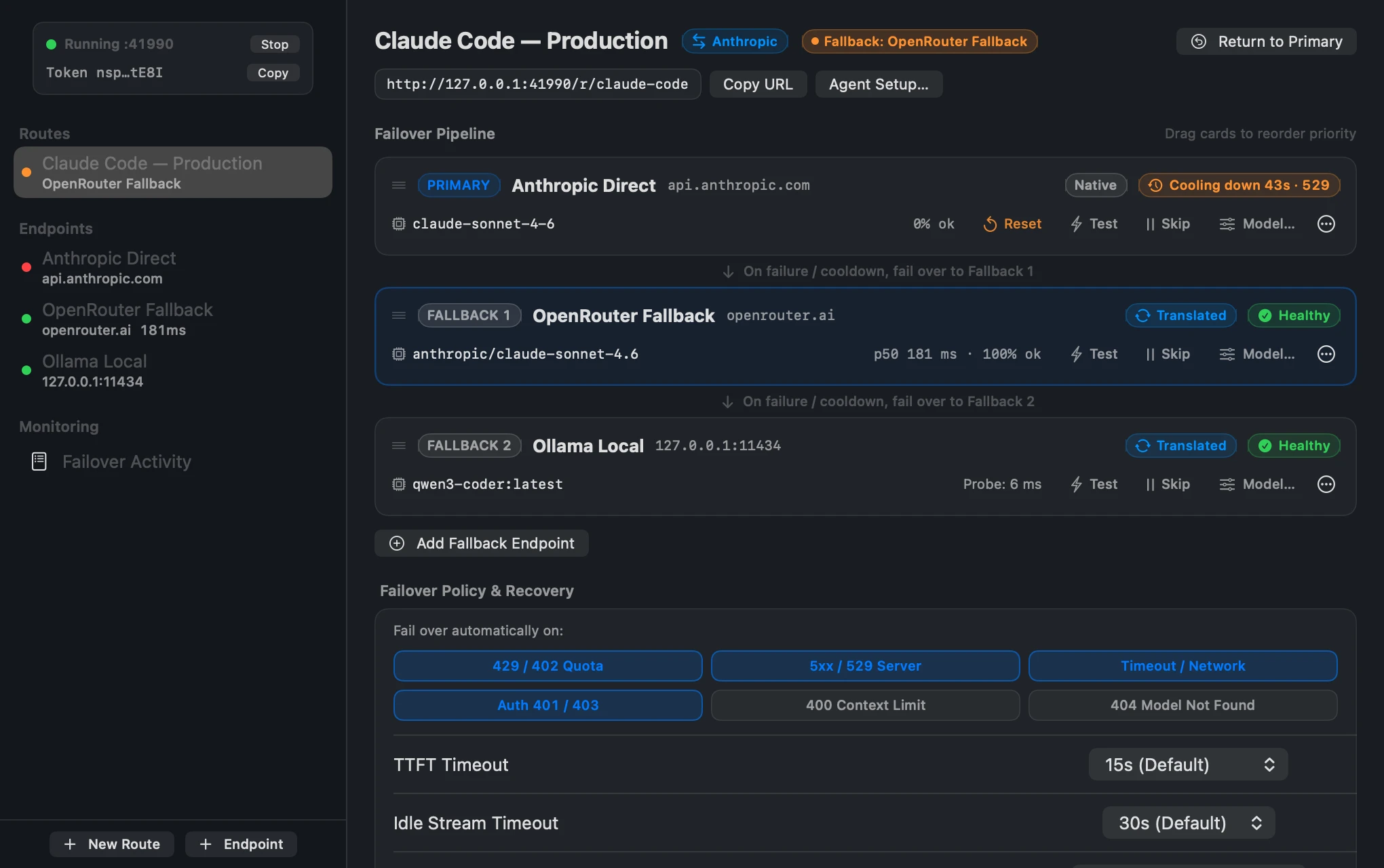
AI Failover Gateway
⇧⌘AConfigure a local 127.0.0.1 BYOK switchboard with drag-and-drop failover chains, automatic Anthropic ↔ OpenAI translation, Apple Keychain secrets, and smart circuit breakers.
Read guideAll Guides by Topic
Getting Started
Install Netspector, approve macOS Network Extensions, and master the Menu Bar popover.
Get Netspector running on macOS 14.0+ in under two minutes: move the app to /Applications, approve FilterExtension and PacerExtension in System Settings, and verify zero-MITM protection.
Read live upload/download throughput, switch profiles on the fly, monitor AI Failover status, and block, throttle, or allow the five busiest apps on your Mac from the menu bar.
Inspect, Rules & Pacing
Inspect live SNI/QUIC flows, craft firewall & HTB throttle rules, and automate profiles.
Inspect every active and recent connection by signed app, L7 protocol, and SNI/Host, view 60-second per-flow throughput graphs, and send AI API flows straight into Failover.
Write exact app, domain, CIDR, port, and protocol rules, pace noisy transfers cleanly with Hierarchical Token Bucket (HTB) throttling, and master Netspector's 6-tier precedence.
Maintain separate rule sets for Default, Focus Mode, Hotspot Saver, and Strict Allowlist environments—and switch them automatically by Wi-Fi SSID, hotspot status, or schedule.
Local AI Failover
Keep Claude Code, Codex, and Cursor online with a zero-cloud 127.0.0.1 switchboard.
Configure a local 127.0.0.1 BYOK switchboard with drag-and-drop failover chains, automatic Anthropic ↔ OpenAI translation, Apple Keychain secrets, and smart circuit breakers.
Wire Claude Code, Codex CLI, OpenAI SDKs, and Cursor/GUI clients to http://127.0.0.1:41990/r/<slug>, run the 1-click Offline Failover Demo, and read the metadata-only Activity log.
Captures, Settings & Reference
Export zero-sudo .pcapng traces, inspect DDSketch diagnostics, and troubleshoot edge cases.
Export per-app Wireshark .pcapng traces annotated with app name, PID, and SNI without sudo, and review 90-day local upload/download breakdowns by app and domain.
Tune menu bar speed readouts and QUIC pacing fallback, inspect live DDSketch p50/p95/p99 extension telemetry, and rotate your local AI Gateway token or port.
Resolve common macOS System Extension approval hiccups, QUIC throttling questions, AI Gateway port conflicts, and look up every Netspector keyboard shortcut.